Cable management is often treated as a purely visual detail. Something you fix once the desk looks messy. In reality, cable organization has a much bigger impact than most people realize.
Loose cables create visual noise, interrupt focus, collect dust, and make even the most minimal setup feel unfinished. They also slow down your workflow, make cleaning harder, and can even cause unnecessary wear on your devices.
In this guide, we’ll break down how to approach cable management step by step, and which simple tools help keep cables out of sight without overcomplicating your setup.
Step 1: Audit Your Cables Before You Organize
Before hiding or fixing anything, take a moment to understand what you’re actually working with. Unplug everything on your desk and lay the cables out in front of you. You’ll often find duplicates, unused chargers, or cables connected to devices you barely use anymore.
Ask yourself:
Which cables are essential for daily work?
Which ones can be removed entirely?
Which devices need permanent access to power, and which don’t?
Reducing the number of cables is the fastest way to improve cable management. You can’t organize clutter, you can only reduce it first.
Step 2: Plan a Clear Cable Route
Good cable management starts with intention, not accessories. Decide where cables should run before you start attaching anything.
In most setups, the cleanest approach is guiding cables:
Straight down from the desk
Along the back edge of the desk
Or underneath the tabletop, out of your direct field of view
Avoid crossing cables randomly or letting them hang diagonally. Straight, predictable routes feel calmer and are easier to maintain later.
If your desk is against a wall, use that to your advantage. Cables routed along edges naturally disappear from sight.
Step 3: Fix Cables in Place (Without Overdoing It)
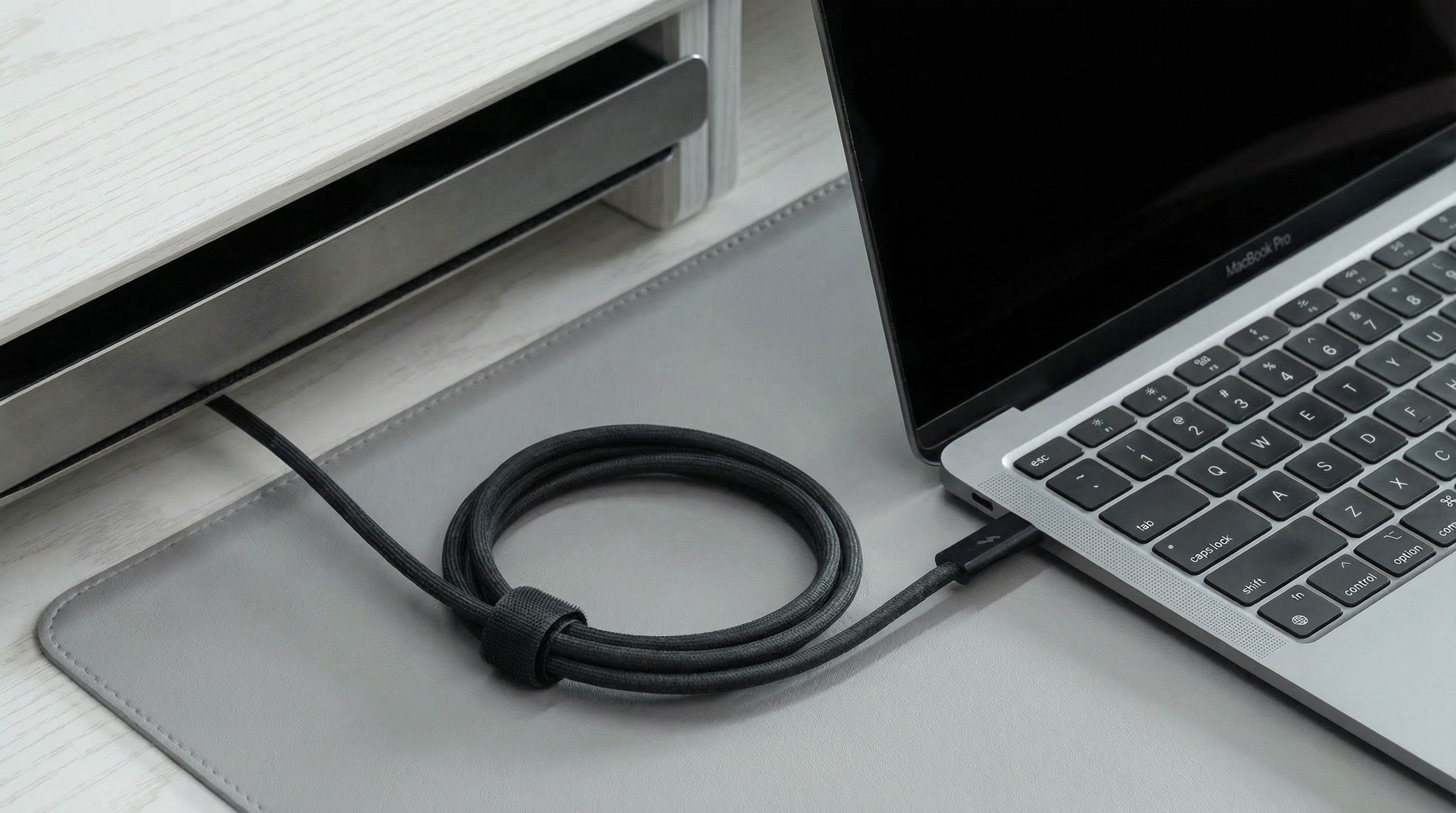
Once your routes are defined, the next step is securing cables so they stay where you want them. The goal isn’t to lock everything down permanently. It’s to prevent cables from drifting back into view.
Use simple solutions:
Clips to guide cables along edges
Sleeves or channels to group multiple cables together
Under-desk trays to hide power strips and adapters
Leave a little slack where cables connect to devices. This reduces strain and makes it easier to unplug or adjust things without pulling everything apart.
Step 4: Hide the “Ugly” Parts Intentionally
Power bricks, adapters, and extension cords are usually the biggest visual problem. Instead of trying to make them look good, focus on placing them where they’re simply not visible:
Mounted under the desk
Inside a cable box
Attached to the back of a desk leg or frame
Once these elements are out of sight, the entire setup instantly feels cleaner, even if the rest is kept simple. This is often the step that makes the biggest visual difference.
Step 5: Make It Easy to Maintain
The best cable setup is one you don’t have to think about. If adjusting a cable feels like work, the system is too complicated.
Aim for a setup where:
Cleaning the desk takes seconds
You can unplug a device without breaking everything
Adding or removing one cable doesn’t require starting from scratch
A quick check every few weeks is usually enough to keep things clean. Small adjustments beat big resets.
Tool Suggestions
A few intentional changes are often enough to reduce visual noise, improve focus, and make your workspace feel calmer and more reliable. Once your cables are under control, everything else on the desk starts to feel more intentional.
Treat cable management as part of your workflow, not just a finishing touch, and your setup will stay cleaner, longer, with less effort.
For more tips, inspiration, and setup ideas, follow us on Instagram, Threads, and Pinterest.